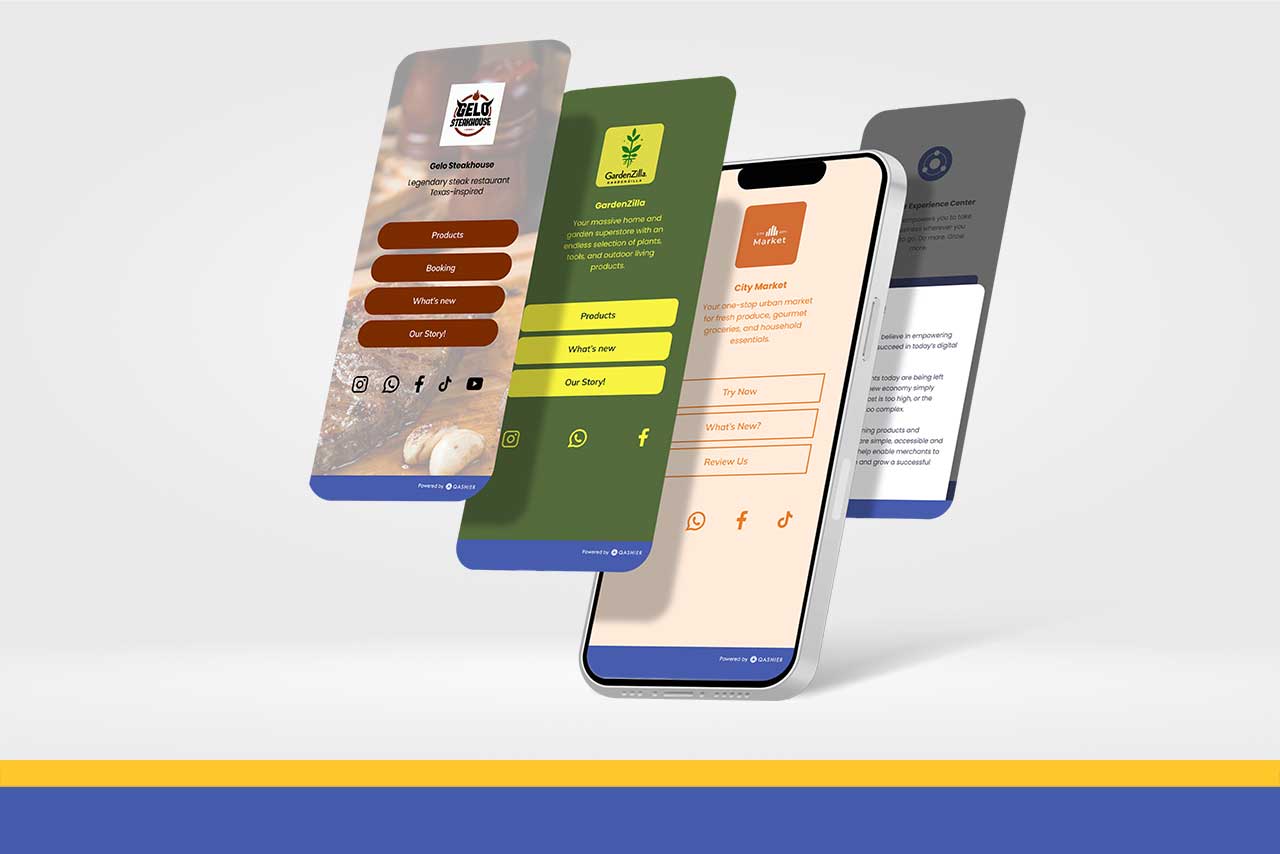
If your business has social media accounts and online shops scattered across half a dozen places, how do you bring them all together so customers can find you more easily? Let us introduce you to Spotlight, an easy link-in-bio page builder for your business — free for Qashier customers.
What is Spotlight?
Spotlight is a tool for building a web page that gathers all your links and social media accounts in one place, and it can carry details about your shop too: opening hours, special promotions, even the story behind your brand.
Spotlight brings everything about your business onto a single page — a hub, in effect, that makes it easier than ever for both new and returning customers to come and see what you do.
What can you put on a Spotlight page?
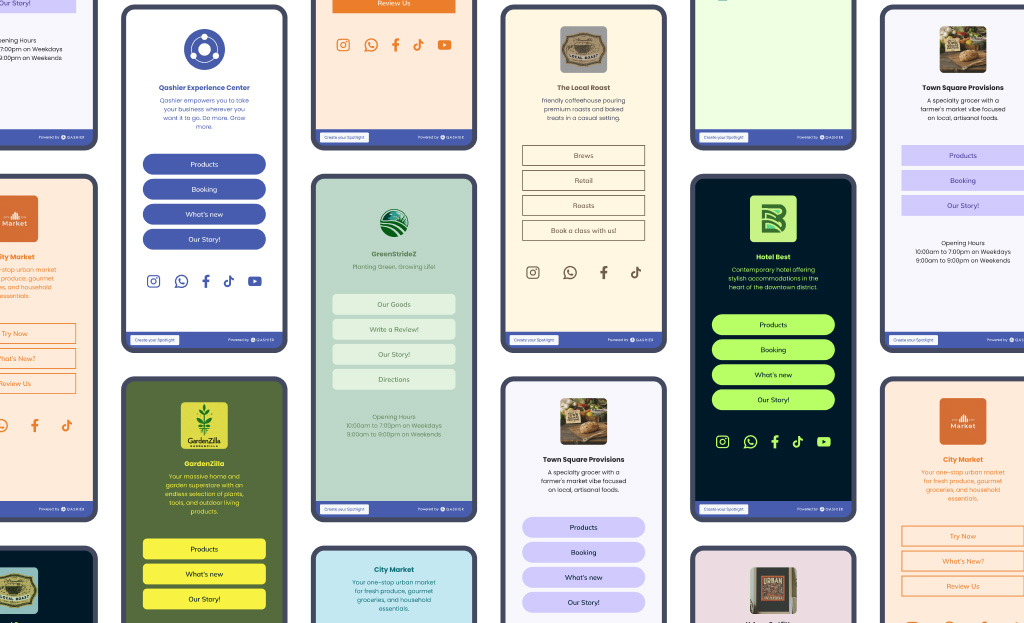
- Your business social media pages, such as TikTok, Instagram, Facebook and YouTube
- Contact channels, such as WhatsApp, Viber and Line
- Other landing pages, such as your e-commerce site, product listings and menus
Spotlight is also easy to customise:
- Use your own brand colours and logo
- Add any business links you want to include (your QashierEats page, for instance)
- Add your opening hours and your physical address
Why have a Spotlight page at all?
Spotlight works like a microsite — a small website of your own. Thai customers may spend most of their time on social media, but having a page you own gives your business a centre of gravity: if social media goes down one day, customers can still find you through your own page.
A web page also acts as an introduction to your business. It is a shopfront that gives visitors information and a good first impression, and even if they do not buy today they can come back later.
Spotlight can serve as your business's web page every bit as well as a conventional website.
How is Spotlight better than a conventional website?
You have heard the advice about starting small and building steadily. Building a real website takes time and involves several costs — hosting, domain (URL) registration, and maintenance on top. With Spotlight you pay nothing, and it is easy for the person building it and for the person using it, because it carries only what is needed and nothing complicated.
Most importantly, Spotlight is both easy and free. Watch the video below to see just how simple building a page with Spotlight is.
https://7493756.fs1.hubspotusercontent-na1.net/hubfs/7493756/Spotlight.mp4
Step 1: Log in to your QashierHQ account
- Click “Spotlight” on the left of the dashboard (under My Plans and Add-ons).
Step 2: Start building your free microsite
- Click the “Create yours now” button
- Enter your own Spotlight URL (the web address). Use your business or brand name so that visitors can find you easily
Step 3: Add your business details in the “top section”
- Upload your business or brand logo
- Enter your full business or brand name
- Add a short description of your business
Step 4: Add buttons and links in the “middle section”
- Use the buttons here for whatever you most want to promote or show off. Keep the wording short and clear. You can add up to 15 buttons.
- Name the button
- Choose “Open link” to send people to another page, or “Show text”. Enter the link or URL to redirect to
- Repeat for the other buttons, or add more of your own
Step 5: Show your social media accounts in the “bottom section”
- Enter the full URL for each of your business's social media pages and messaging apps
- Add your opening hours or your physical address in the footer
Step 6: Adjust the “brand and style”
- Choose the button style you prefer (filled or outlined)
- Have all your brand colours to hand. Copy and paste the HEX codes into the relevant fields — button, button text, background, and background text colour
- Finally, upload a background image
Once you are happy with how your page looks, press “Publish” and put it live.

Handy tips for merchants
Promote your Spotlight page and use it as the first point of contact for your business, to draw visitors in
- Share the URL across all your social media channels
- Add the link to your email signature
- Include the link in any digital marketing you do, and pull visitors towards your business
You can also use Spotlight's analytics to track how your page is performing. The figures you can check are as follows.
- Views: how many times customers have viewed your Spotlight page
- Clicks: the total number of clicks on the buttons and social links on your page
- Click-through rate (CTR): clicks divided by views, multiplied by 100
These metrics show you how visitors are interacting with your Spotlight microsite, so you can refine it and lift engagement.
Merchants on a Qashier system package can use Spotlight free of charge!
Use it alongside Treats, and get ready for Treats Explorer, coming soon
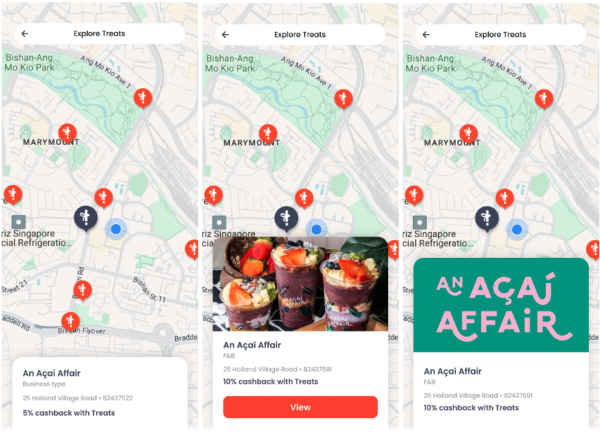
Treats is CRM version 2.0, built into the Qashier POS system, which makes it an even more complete POS for SMEs, because customers can collect points with Treats. Treats Explorer is a new feature launching in the Treats web app, and here is what makes it special.
Shops on the map
Shops taking part in Treats appear on the Treats Explorer map
Shop discovery
Treats Explorer helps customers find and connect with shops that are new to them, bringing more visitors through the door and attracting new custom
Shop information
When a customer taps a pin on the map they get the details of that particular shop, and brands and businesses can link their own website or Spotlight microsite so that visitors can read more and shop online
If you are interested in using Treats, get in touch with our team. Upgrade your system and use it free! (terms and conditions apply)
Start raising your game with Qashier today
If you would like Qashier to be the partner behind your business, get in touch and we will be glad to tell you more. We are ready to support you, whether with the terminals themselves, POS systems for restaurants or for retail shops, an effective POS system, and support from our team seven days a week.
For more details, contact us on our Line Official account: @qashier.th or call 02 544 0267