
Make paying effortless.
Customers pay with the bank or e-wallet app already on their phone.
QR Ph integration
QR Ph is the national QR code of the Bangko Sentral ng Pilipinas. Customers scan with GCash, Maya or any QR Ph-enabled bank app, and every payment lands in Qashier, matched to the exact order.
Accepts every bank and e-wallet app on 
What is
QR Ph is the Philippines’ interoperable QR code standard, set by the Bangko Sentral ng Pilipinas. One code works for customers of any participating bank or e-wallet, so nobody at your counter has to ask which app you accept.
Scanning a QR to pay is already part of how Filipinos pay for coffee, groceries and everything in between.
The less customers think about how to pay, the faster the sale is done and the shorter your line gets.
Every QR Ph payment becomes part of the same Qashier record as your cash, card and e-wallet sales.
How it works
Three steps at the counter. No typing amounts, no checking screenshots, no matching transfers at closing time.
01
Your staff add items on the Qashier SuperTerminal® as usual and tap QR Ph. The total is locked in.
02
Qashier generates a QR Ph code with the exact amount and order reference built in. Customers scan, check and confirm.
03
Qashier confirms the payment on the terminal and records it against the order automatically.
Connected payment
QR Ph runs on the same platform you use to sell, serve and grow, so a scan is never a loose transfer.
Customers pay with the bank or e-wallet app already on their phone.
Each payment ties to its order, not to a screenshot in a group chat.
Less attention on checking payments. More on the people making them.
Every payment adds to a clearer picture of how your business is doing.
Static vs dynamic
Same QR Ph rails, a very different day at the counter. A printed QR gets money in. A dynamic QR knows which order it belongs to.
Built for Filipino businesses

Retail
From sari-sari stores to mall boutiques, shoppers scan and go while every sale stays on record.
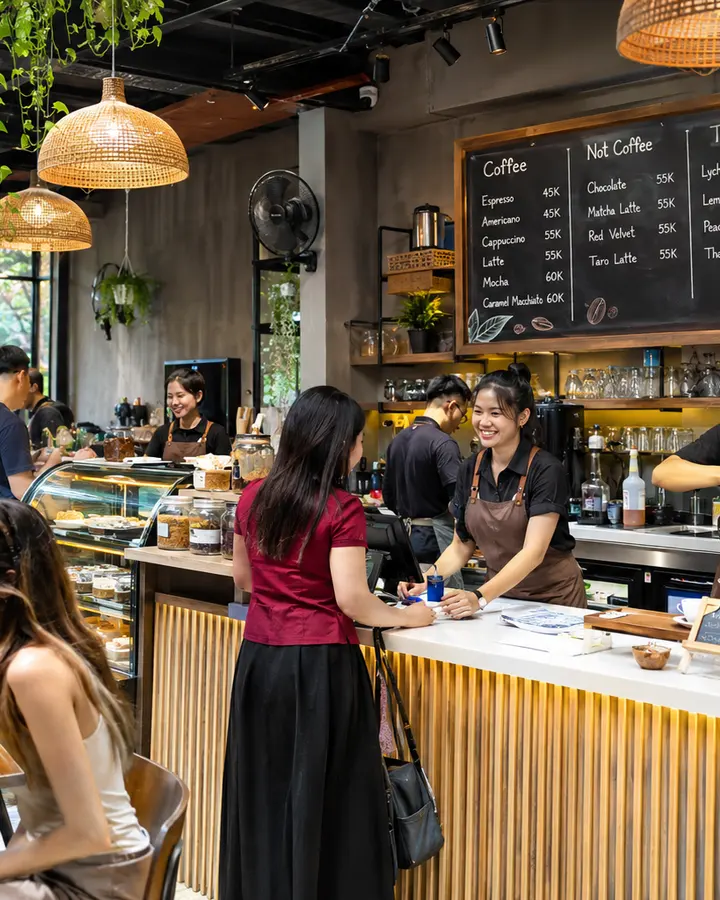
F&B
Give diners and takeout customers a fast way to pay, even at the lunch rush.

Beauty
Clients pay with confidence after every appointment, treatment or package.

Services
Laundry shops, repair counters and clinics accept QR Ph as part of one clean customer experience.
One platform
Not a QR sticker on the counter. QR Ph on Qashier runs on the same stack as your sales, payments, reports and loyalty.
QashierPay
QR Ph lands with cards and e-wallets in one settlement, paid out the next business day.
QashierPOS
Every QR Ph payment ties to its order automatically. No manual matching.
QashierHQ
See QR Ph next to cash, cards and e-wallets, across every branch.
Qashier Treats
QR Ph orders still earn Treats, so customers come back after they scan.
QR Ph is the national QR code standard of the Bangko Sentral ng Pilipinas (BSP). It lets customers pay a merchant by scanning one QR code with any participating bank or e-wallet app, such as GCash, Maya or their bank’s mobile app.
Add items to the cart, proceed to payment and tap QR Ph. Your terminal shows a dynamic QR code with the exact bill amount. The customer scans it with their bank or e-wallet app and confirms. Qashier verifies the payment and records it against the order.
Any Philippine bank or e-wallet app that supports QR Ph. If a customer’s app can’t read the code, ask them to use a QR Ph-enabled app and raise your screen brightness.
QR Ph works in store on QashierX2, QashierXS and QashierXL SLIM with QashierPay activated. No extra device or app is needed. The terminal needs an internet connection to generate the code and receive confirmation.
QR Ph transactions settle the next business day, together with your other QashierPay payments.
In-store QR Ph payments through QashierPay start from 0.4% per transaction. Custom rates are available for larger businesses. See our payment rates page or talk to our team.
A printed QR relies on customers typing the right amount and staff checking screenshots. A dynamic QR Ph carries the exact amount and order reference, confirms on your terminal and lands in your sales report, so closing the day takes minutes, not hours.
Get started
Give customers the QR they already trust, and keep every peso connected to the business you’re building.
Talk to sales