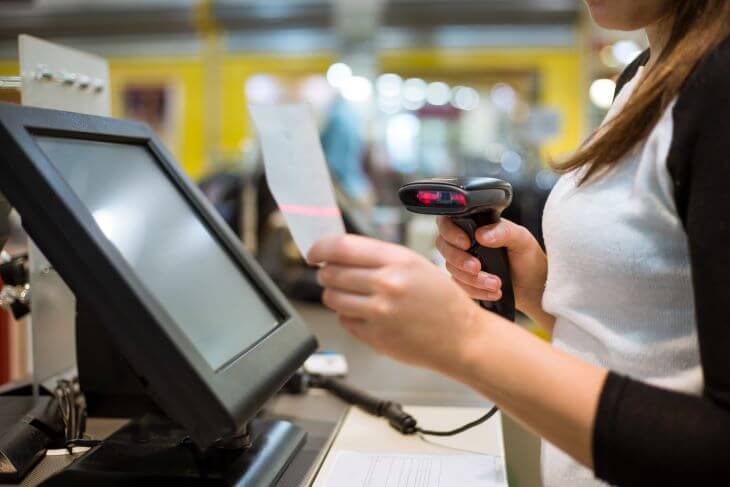
Most owners of small shops and SMEs will have heard of shop-management systems, or POS systems, often enough. A POS is both the system that sells at the counter and the system that runs the back office, and as well as picking the right type, an owner has to think about whether it fits the shape of their business — particularly anyone starting a business for the first time. A POS system that covers what you actually need will give your shop a way of working that runs well, and make the business that much more nimble.
But how many types of POS shop-management system are there? And which features are worth knowing about in each? For new traders trying to decide whether to bring one in to help run the business, let us look at what each type of POS terminal is like, so you can choose the right one.
Types of POS shop-management system for retail businesses
1. POS software for mobile phones
This is counter-sales and shop-management software for a small business or a business on the move — a stall in a market, a weekend market, or an event — where you want something easy to use and quick to get through. It also comes with payment handling to support the selling or the service.
2. POS software for tablets
A POS shop-management system can equally be installed on a tablet, where the range of functions on offer is wider. It suits small and mid-sized businesses, and can also be linked to a smartphone. Businesses that use this type of POS include mobile shops, quick-service restaurants and cafés.
3. POS systems for computers
A POS on a computer works through a cloud-based system, which suits a full-service business — a restaurant, a convenience store or a large retailer — that needs help managing products and services and keeping its data safe around the clock. A computer POS system comes with the full set of functions, and answers the needs of a business of any size.
4. POS systems for self-service
Self-service is another fast-growing area that fits modern lifestyles, and plenty of businesses are starting to adopt it, because it makes service easier for customers to reach. There is a type of POS shop-management system built for self-service, for businesses and shops that want service to be quick — whether that is placing the order or paying for it — and, importantly, it makes taking each order both more efficient and more accurate. Businesses well suited to this type of POS include cinemas and vending-machine operators.
The features to look for when you buy a POS system
Inventory management
If your shop offers a wide range of products or services, a POS shop-management system records and tracks all of it in a product catalogue, which makes managing and filtering your products much easier — by category, name, type, price, size, production date and expiry date, and so on. It is what lets you order and manage stock that much faster.
Customer relationship management (CRM)
A shop-management system, or CRM, is another tool that helps you manage relationships with your customers better, because it keeps a record of every order or visit, along with the membership history when a customer signs up or takes a loyalty card with the shop. The system remembers the detail and stores all of it, and it can put promotions in front of customers in a far more targeted way, which makes a good impression and creates a good experience out of the relationship you build with them — a loyalty programme — and that is what brings them back to buy or to use the service again.
Payment processing
Payment problems disappear once you have a modern POS counter-sales program that can take payment in a number of ways. POS software lets customers choose from a wider range of payment methods, whether that is paying by credit or debit card, transferring through a mobile banking or internet banking app, scanning a QR code to pay, and so on.
Employee management
As well as managing products, a POS shop-management system lets you check how staff at each outlet are working. You can look at how orders are taken and how customers are served, and it helps you analyse the way your staff work as well.
Reporting and sales analytics
Another feature we would want you to have on any type of POS terminal is sales analysis by day, week, month and year, which lets you analyse your business accurately so you can improve it or build on the opportunities you find.
Every function you need, in one POS shop-management system from Qashier
If you are looking for a POS terminal with the full set of functions — one that makes your business or your shop easier, more convenient and more efficient to run — at Qashier we have built a shop management POS system that answers the needs of every business, covering both the front of house, such as taking orders for products and services and handling payment, and the back office, such as stock management and accurate sales analysis. If you would like to know more, reach us on Line Official: @qashier.th or call 02-544-0267