Your POS terminal is the heart of your business, the assistant that rings up sales for you day in, day out. It is also the face of your shop, which makes looking after it — inside and out — important if you want your shop to run smoothly.
In this article, we look at how to maintain a POS terminal effectively without spending much.
1. Clean the terminal regularly
POS terminals are built to take a certain amount of punishment, but daily use means dust, sweat, grime and marks of every kind. Left alone, that dirt works its way into the surface of the casing, which leaves the terminal looking scruffy and wearing out faster. The routine below will keep your POS looking smart and reduce the chance of dirt causing damage.
Every day
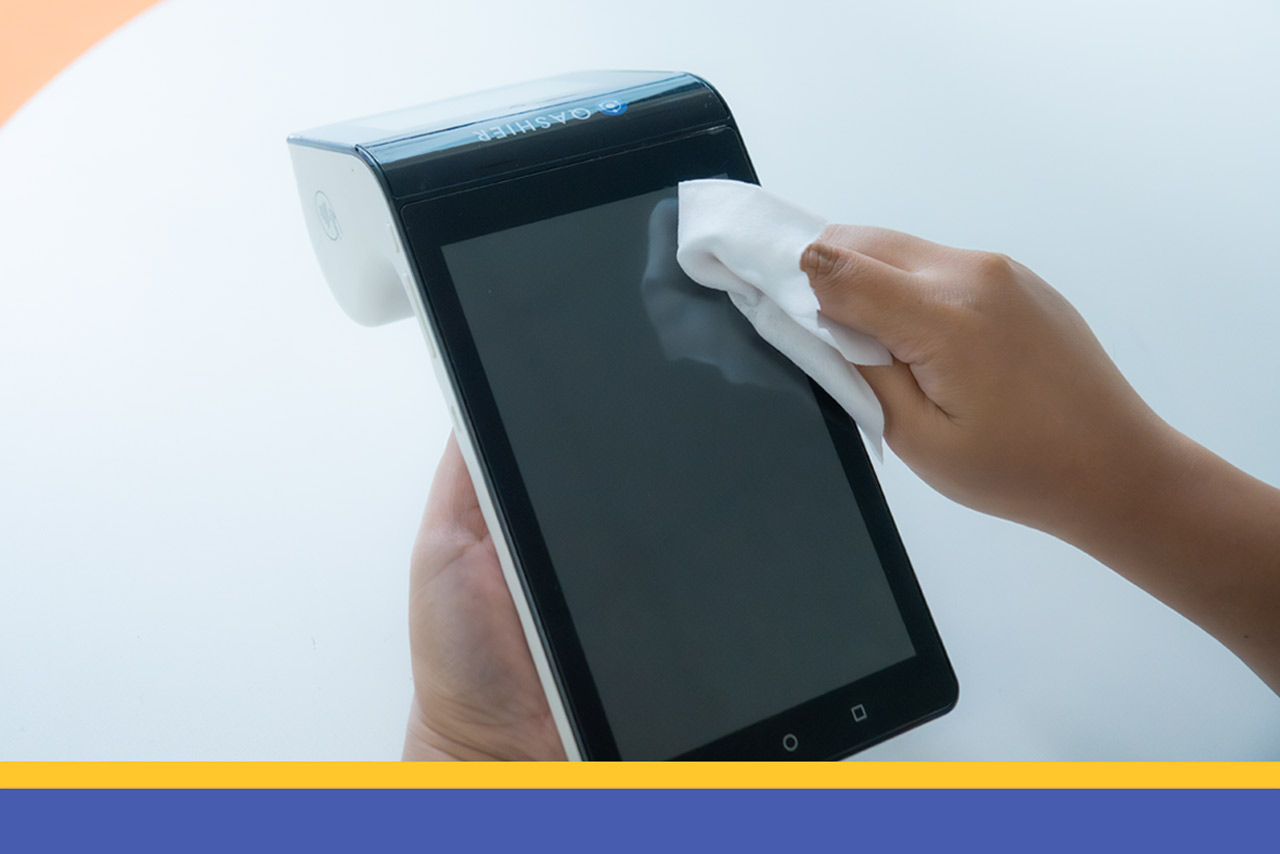
Wipe the screen with a microfibre cloth, dry or very slightly damp. That is enough to clear the dust that a day's use leaves behind.
Every week
Spray isopropyl alcohol onto a microfibre cloth and clean the parts of the terminal that get touched most — the screen, the buttons and the receipt printer slot. For anywhere awkward to reach, use a cotton bud dipped in disinfectant.
Every month, or every 60 days
Unplug every cable. If you have an air blower or compressed air, use it to blow dirt out of the ports, the vents and any other slots and holes.
2. Keep the underlying software maintained
Software maintenance matters to your POS system if you want your shop to run without interruption.
You can switch on "automatic updates" so your POS regularly picks up security patches and bug fixes. Our specialist team can talk you through turning the feature on, or advise on how to update the software properly.
3. Use the terminal sensibly
Whether your POS terminal is a small one or a large one, regular cleaning is only half of it — using it sensibly matters just as much.
Keep the cables tidy
Lay out and tidy the cables so nothing tangles or catches on anything. A cable tidy is worth getting if you need one, to keep the working area in order. And before you clean the work area or the terminal itself, remember to unplug the cables so nothing gets snagged while you work.
Watch out for liquids
Spilling liquid on a POS terminal will damage it. Always keep food and drink away from it, and if you can, keep a cloth or something to mop up close by, so an accident can be cleared up quickly before it does any harm. And if you are using it as a POS for a coffee shop, where working next to drinks all day is unavoidable, we would suggest putting a non-slip mat underneath to reduce the risk of accidents.
Train staff to use it correctly
Staff should have clean hands every time they touch the terminal, so dirt doesn't build up.
Touch the screen and the hardware lightly. Avoid pressing hard, and never touch the screen with hands that have liquid on them.
Set out the basic cleaning routine, along with the precautions that keep the terminal out of trouble.
4. The surroundings matter too
A POS terminal is like any other piece of electronics: put it in the right conditions and it will last longer and work better.
Temperature
Most electronics work best at normal room temperature, so keep your POS terminal away from anywhere very hot and out of direct sunlight. Use a fan if you have to work somewhere warm. Direct sun on the screen can damage it and push the terminal's temperature high enough to cause a fault, so we would suggest curtains or blinds to cut the sunlight falling straight onto it.
Humidity
Too much moisture can cause a POS terminal to fail. Use a dehumidifier if you need one, or a moisture-absorbing container in a small space.
Power
Brownouts, over-voltage, surges — unstable power can damage your POS terminal or short it out, so getting the electrics right matters. If you can't avoid the problem, fit a surge protector for safety. For a larger POS terminal, we recommend plugging it straight into the mains, and if you do use an extension lead, check that it meets the proper standard and that nothing power-hungry is plugged in alongside.
5. Make backups part of the routine
Don't forget to back up the data that matters to your shop — sales transactions, stock details, customer records and so on. It is information your business depends on.
Use the 3-2-1 backup rule
The 3-2-1 rule is the standard approach to backups. It guards against mistakes and keeps your data safe when something unexpected happens.
Always keep three copies of your data.
Store two of those copies on different media: one on internal storage and one on something removable, such as an external hard drive. The alternative is to keep it in the cloud, the way Qashier POS backs up the data on the terminal automatically.
Keep the third copy offsite but easy to get at — a cloud backup, for instance — so your data survives fire, flood, theft or an accident.
Set a backup schedule
Draw up a regular backup schedule based on how many transactions you take and how important the data is. If you hold a lot of important data, we would suggest backing up daily; for most businesses weekly is enough. Better still, turn on automatic backups, so you know your data is saved regularly and there is nothing to forget.
Test your backups
Run a test restore to check that your backups work properly. It is the only way to be sure you really can recover your data safely in an emergency.
6. Draw up a maintenance checklist
The most important thing about maintenance is doing it consistently and regularly. Have your staff read the POS manual so they understand how it works and what to watch out for. And if you find a fault or anything out of the ordinary, note it down in detail and tell your staff to have it checked straight away.
The Qashier team is here to support your Qashier POS
Expert customer support, seven days a week
You can rely on our customer support team to talk problems through with you and give you expert advice on using Qashier POS.
Start running your shop better with Qashier today
If you would like Qashier to be your restaurant's right hand, get in touch and we will tell you more. We are ready to support you, whether that means POS terminals for restaurants and shops alike, an effective POS system, or support from our team seven days a week.
For more details, contact our Line Official: @qashier.th or call 02 544 0267