
A POS (point of sale) system is the “point of sale” where you ring up an order, take payment and record the sale at the counter. A modern POS does far more than a cash register: it brings sales, payments (cash, card, PromptPay, e-wallet), stock control, sales reporting and membership together on a single device. It suits restaurants, cafés, retail shops and service businesses alike.
What is a POS?
POS stands for point of sale — literally the point at which the customer pays and the shop records the sale.
People used to picture a bulky cash register: press the keys, and the drawer pops open. Today a POS system is a compact digital device that can:
- Ring up orders and issue receipts
- Take payments in cash or digitally
- Deduct stock automatically as items sell
- Capture sales data and generate reports for you
- Manage members, promotions and staff
Put simply, today’s POS system is a shop-management assistant in a single device, not just a cash register any more.
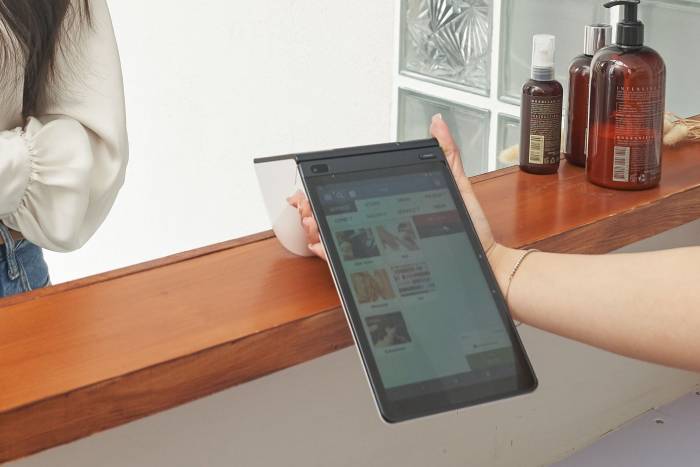
So how does a POS system work?
The basic flow of a POS system looks like this:
1. Staff take the order or tap the items — tap the menu item or scan the barcode of whatever the customer is buying
2. The system works out the total — adding up prices and applying discounts and tax automatically
3. The customer pays — by cash, by card or by scanning a QR code
4. The receipt is issued — printed out
5. The system records everything automatically — deducting stock and saving the sales data to the cloud
All of that data sits in the cloud, so the owner can check sales from a phone anywhere, even when they are away from the shop.
How many types of POS system are there?
Broadly, POS systems can be grouped like this:
- Dedicated POS hardware (smart terminal): a ready-made device that is easy to set up and works straight out of the box. Suits restaurants, cafés and general retail shops.
- POS on a tablet or phone (mobile POS): an app installed on a device you already own, so the outlay is low. Suits small shops, food trucks and event booths.
- POS installed on a computer — you run your own server and can customise heavily. Suits large chains and organisations with an IT team.
Any of these can be a cloud system, meaning the data is uploaded to the internet — “the cloud” — so that whoever owns the data can view it and pull it up from anywhere.
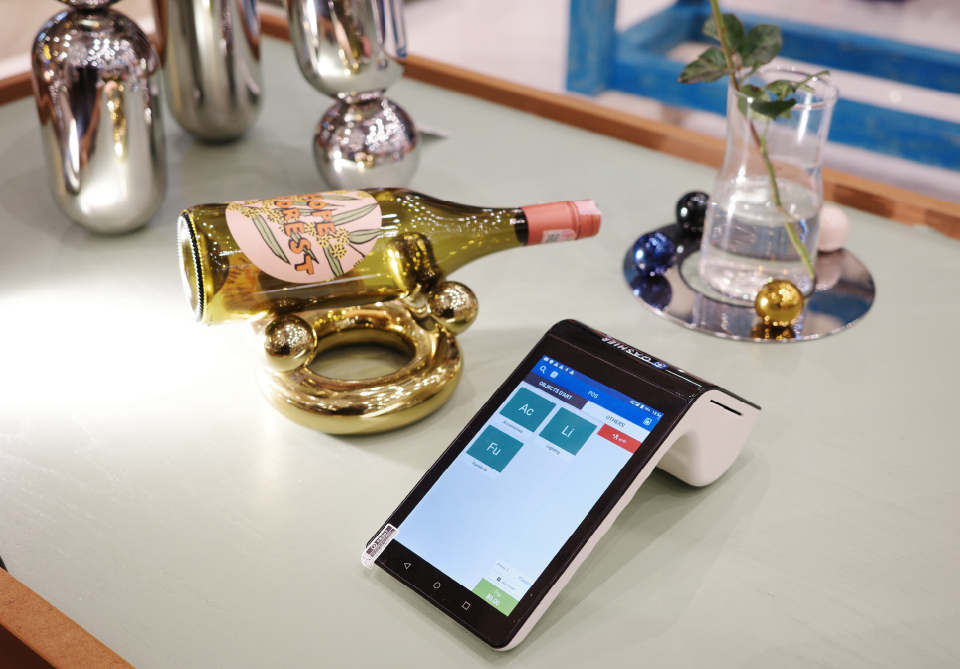
Most shops today choose a smart terminal running a cloud POS, because it is easy to set up and the numbers can be checked from a phone. Qashier is one example.
What features should a good POS system have?
For a shop in Thailand in 2026, look for:
- Every payment method covered — PromptPay in particular, which Thai customers use heavily
- Stock and ingredient control — automatic stock deduction, with low-stock alerts
- Real-time sales reporting — viewable from your phone
- Membership and loyalty points — to bring customers back
- Staff management — clock-in and clock-out records, with permission levels
- Multi-outlet support — so you can expand without changing systems as the business grows
- A Thai-speaking support team — so problems at the counter get fixed quickly
How much does a POS system cost? The usual costs are these:
- Monthly software fee: this ranges from free (usually limited to the basic features) through to a monthly or annual subscription.
- Hardware cost: most POS terminals are bought outright, or a shop can use its own hardware, such as a tablet or an iPad.
- Payment processing fees: also known as MDR, charged as a percentage of each card or e-wallet transaction.
Qashier offers a free Lite plan for shops to try, and if you need more features you can add another plan on top.
Frequently asked questions (FAQ)
Q: What is the difference between a POS system and a cash register?
A: A cash register only rings up and holds cash. A POS system does much more: it manages stock, produces sales reports, handles memberships and accepts several payment methods, all on one device.
Q: Does a small shop really need a POS?
A: Increasingly, yes. Thai customers pay heavily by PromptPay and e-wallet, so a cash-only shop loses sales. A POS also shows the owner what is selling well and what is not, without counting the takings by hand.
Q: Does a POS system need to be online all the time?
A: Most cloud POS systems keep working offline for a while and sync once the connection returns, but taking digital payments does need the internet.
Q: Is a POS system hard to install?
A: Most modern smart POS terminals can be set up and in use within a day, and some are configured and ready to go in minutes.
Q: Can a POS accept PromptPay and e-wallets?
A: A POS system built for the Thai market accepts PromptPay, credit and debit cards and the various e-wallets. Check with the provider that every method your customers use is covered.
Q: Is there after-sales service with a POS system?
A: That depends on each company’s policy and service. With Qashier POS you get after-sales support from specialists, 7 days a week.
In summary
A POS system is the heart of running a modern shop. It is not just a cash register but a system that brings sales, payments, stock control and customer data together in one place. For a shop in Thailand in 2026, choosing a POS that accepts PromptPay and e-wallets, is easy to use, comes with after-sales service and offers Thai-language support will keep the shop running smoothly and help it grow faster.
Start running your shop better with Qashier today
If you would like Qashier to be your business assistant, get in touch to find out more. We are ready to support you with both the hardware — POS for restaurants as well as retail shops — and a POS system that performs, backed by support from our team 7 days a week.
For more information, reach us on Line Official: @qashier.th or call 02 544 0267