
This guide is for you if you run a quick service restaurant, café, milk tea shop or food hall stall in the Philippines and you are wondering whether a self-ordering kiosk is worth it. It explains what kiosks actually change, which businesses they suit best and when a different setup serves you better.
Picture lunch on payday. The line reaches the door, and every customer waits for one person at the counter to take their order. Your cashier is quick and friendly, but they can only serve one customer at a time, and the kitchen is ready for more orders than the counter can send through.
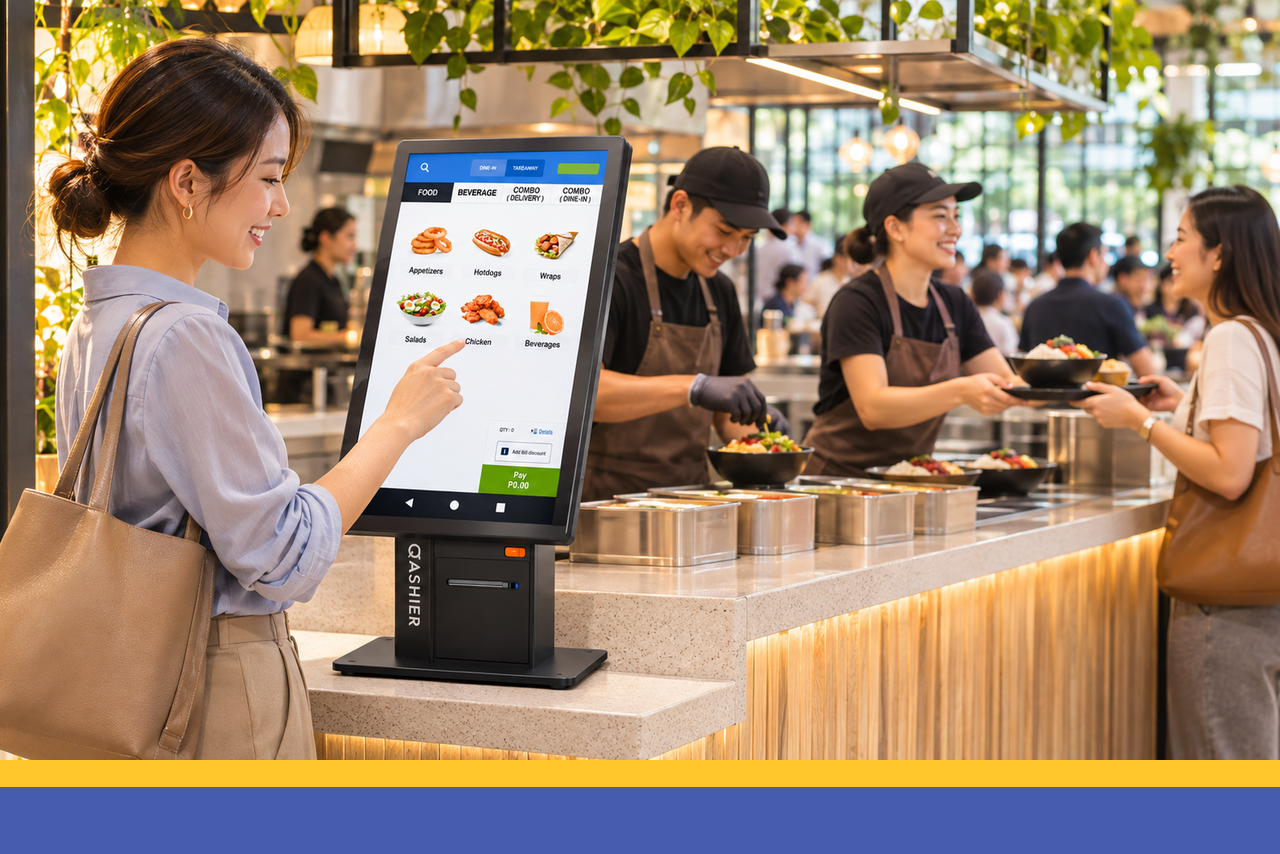
A self-ordering kiosk changes that shape. Customers walk up, browse your menu on a large touchscreen and order at their own pace. Several customers can order at once, and your team spends the rush on the food and the floor instead of keying in orders.
Here is why self-ordering kiosks work, where they fit and how QashierKiosk connects to everything else in your business when you run your whole shop on one system.
A Kiosk Adds Ordering Points, Not Just Speed
The common view is that kiosks make ordering faster. The bigger change is how many people can order at the same time. One counter serves one customer at a time. Two kiosks beside your counter give you three ordering points during the busiest hour of the day, without adding a person to the schedule.
That extra capacity gives your business room to grow. You can serve more customers at your peak, and your team has time for the work only people can do. A kiosk is a tool for serving more customers and giving your team breathing room, and it suits a particular shape of business best.
More Customers Can Order at the Same Time
During a rush, the counter is usually the narrowest point in your business. A kiosk opens up more places to order, so customers who know what they want can order straight away, and customers who like to browse can take their time without holding anyone up.
For your customers, that is the real convenience. Nobody has to wait for a turn at the counter just to say what they want, and nobody feels rushed while they decide.
Your Team Moves From the Counter to the Food
When customers take their own orders, your team's time goes back into the parts of service customers notice most. Food comes out faster, tables are cleared sooner and someone is free to help a customer who needs a hand. That breathing room lets you handle a bigger rush with the team you already have.
The counter still matters. Many businesses keep one counter open for customers who prefer to order from a person, while kiosks handle the steady flow of regulars who know their order.
Every Order Hears Your Best Suggestions
A busy cashier rarely has time to suggest an upsize or a side on every order. A self-ordering kiosk does it every time, showing add-ons, upsizes and best sellers as customers build their order. Your best pairings reach every customer, at every hour.
Customers also see your full menu with photos while they decide, which makes it easier to try something new. The suggestions feel helpful rather than pushy, because customers choose them at their own pace.
Orders Arrive Exactly as Customers Entered Them
When customers key in their own orders, every choice and modifier reaches the kitchen exactly as they picked it. There is no mishearing at a noisy counter and no retyping. Customers review their order before sending it, which means fewer remakes and fewer conversations about what was ordered.
Meet QashierKiosk
QashierKiosk is Qashier's self-ordering kiosk, built for busy food and drink businesses. It comes in 16-inch, 21.5-inch and 27-inch touchscreens, with floor and table stands to fit your space. A larger screen suits a wide menu and high volume. A compact screen fits a smaller shopfront or a busy counter.
QashierKiosk automatically suggests add-ons, upsizes and best sellers on every order. Orders go straight to your kitchen printer, sticker printer or Qashier kitchen display system, and they land in QashierPOS alongside your counter, QR and delivery orders, so your kitchen works from one clear queue.
Here Is How One Lunch Order Looks With QashierKiosk
Marco walks into your food hall stall at noon. Instead of joining the line, he steps up to the QashierKiosk by the entrance and browses your menu on a large touchscreen. He picks a rice bowl, and the kiosk suggests an upsize and a drink. He adds both and sends his order.
His order goes straight to your kitchen, exactly as he entered it, and appears in QashierPOS. Your team, who would have been taking orders, is plating food and calling numbers. When his food is ready, he settles the bill at the counter in moments, because every item is already there.
Every kiosk order lands in the same sales record as your counter, QR and delivery orders. The next morning, your QashierGM digest shows how the lunch rush went.
None of that required a single manual action from you.
Checkout Stays Simple, With Kiosk Payments Coming Soon
Today, customers in the Philippines order at QashierKiosk and settle the bill at your counter, where every item they chose is already waiting. Payments at the kiosk itself are coming soon, so customers will be able to order and pay in one place.
Your loyalty program fits into the same visit. Customers join Qashier Treats by scanning the QR code on their receipt and entering their mobile number, and QashierPOS tracks their points at every visit.
Your Menu Stays Current on Every Screen
Kiosk menus update in real time through QashierHQ. Change a price, add a seasonal item or take something off the menu, and every kiosk shows the change. Your kiosks, counter and QR menus all work from the same menu, so customers see the same choices wherever they order.
Which Businesses Kiosks Suit Best
Kiosks work best where many customers order from a clear menu in a short space of time. They suit:
- Quick service and fast food restaurants with a steady lunch or dinner peak.
- Food halls and self-service dining spaces where customers collect their own food.
- Cafés and drinks shops where regulars know their order and want it quickly.
- Milk tea shops where detailed customization needs to reach the team accurately.
These businesses share a simple pattern. Orders are frequent, the menu is easy to browse and customers are happy to serve themselves when it saves them time.
When Another Setup Serves You Better
Kiosks are one of several ways to take orders, and some businesses are better served by another. Full service restaurants, where guests sit down and order over a conversation, usually get more from QR code ordering at the table. Guests order from their phone without leaving their seat, and your team stays focused on hospitality.
Retail stores are best served by a counter terminal. QashierKiosk is designed for food and drink orders, so products that need barcode scanning or weighing belong at a counter with QashierPOS. Very small spaces, or businesses with a gentle flow of customers through the day, often get the most from a well-run counter and QR ordering.
The good news is that you can mix and match. Kiosks, counter terminals and QR ordering all run on the same Qashier system, so you choose the setup that fits each part of your business.
Does Your Business Need a Self-Ordering Kiosk?
A kiosk is likely to pay off for your business if several of these are true:
- Your line regularly reaches the door during peak hours.
- Your kitchen can prepare orders faster than your counter can take them.
- Most customers order from a menu they already know.
- Your team spends much of the rush taking orders rather than preparing food.
- You have floor or counter space where customers can order without blocking the flow.
If that sounds like your busiest hours, a kiosk gives your customers a faster way to order and your team more time for everything else.
Everything Connects, From the Kiosk to the Kitchen
Each part of your shop feeds the next. Customers order at the kiosk, and the order reaches your kitchen exactly as they entered it. Every sale lands in QashierPOS beside your counter, QR and delivery orders, checkout at the counter stays quick, Qashier Treats keeps your regulars coming back and QashierGM shows you how each rush went.
A standalone kiosk sees only its own orders. On Qashier, it shares one system with the rest of your business, so customers order at their own pace and your team stays on the food.
One login. One view. One system.
Get Started
QashierKiosk runs on the same system as your POS, kitchen display, loyalty and QashierGM, and our team in the Philippines can walk you through it today. We help you choose the right screen and stand for your space.
Book a free demo and let every customer order at their own pace.
Frequently Asked Questions
What is a self-ordering kiosk?
A self-ordering kiosk is a touchscreen station where customers browse your menu and place their order without waiting at the counter. In the Philippines, QashierKiosk sends each order straight to your kitchen and into QashierPOS, so your team can prepare it right away.
Which businesses are self-ordering kiosks best for?
Kiosks suit quick service and fast food restaurants, food halls, cafés, drinks shops and milk tea shops with busy peaks. They work best where many customers order from a clear menu in a short time.
Can customers pay at QashierKiosk in the Philippines?
Payments at QashierKiosk are coming soon in the Philippines. For now, customers order at the kiosk and settle the bill at your counter, where every item they ordered is already on the bill.
Is a self-ordering kiosk suitable for retail stores?
QashierKiosk is designed for food and drink ordering. Retail products that need barcode scanning or weighing are best handled at a counter terminal running QashierPOS.
Does a kiosk replace my counter staff?
No. A kiosk takes over order taking, and your team spends that time preparing food, serving customers and keeping the space running smoothly. Many businesses keep one counter open for customers who prefer to order from a person.
Can the kiosk send orders to my kitchen?
Yes. QashierKiosk sends orders straight to your kitchen printer, sticker printer or Qashier kitchen display system, exactly as customers entered them.
Do customers need an app to order at a kiosk?
No. Customers order directly on the kiosk touchscreen, with nothing to download. To earn loyalty points, they join Qashier Treats by scanning the QR code on their receipt and entering their mobile number.
What screen sizes does QashierKiosk come in?
QashierKiosk comes in 16-inch, 21.5-inch and 27-inch touchscreens, with floor and table stands. You choose the setup that fits your menu, your space and your customer flow.