
This guide is for you if you run a café, restaurant, food court stall or bar in the Philippines and you are thinking about QR code ordering. Most articles about QR ordering focus on speed. This one looks at something more valuable: what your team does with the time it gives back.
Picture your lunch rush. Every table wants to order at once. One team member is taking orders, another is answering questions about the menu, a third is running between the counter and the kitchen, and the guest at the corner table has been trying to catch someone's eye for a while. Your team is working hard, and most of that work is carrying information from the table to the kitchen.
QR code ordering hands that part of the job to your guests. They scan, browse and order the moment they are ready, and the order goes straight to your kitchen. Your team stays on the floor, and their time goes to the parts of service only people can do: welcoming guests, running food, recommending dishes and making regulars feel at home.
Here is how that shift works in practice, and how running your whole shop on one system makes every part of it connect.
QR Ordering Changes the Job, Not the Team
A traditional order passes through several hands. A guest tells a staff member, the staff member writes it down or keys it in, and the kitchen reads it. Each step takes time, and each one is a chance for a detail to slip.
With QR ordering, the guest places the order directly, so your team no longer spends the rush carrying orders back and forth. That time does not disappear. It moves to hospitality, faster table resets and the personal touches guests remember. The result is a team doing the work they enjoy most, and guests who order the moment they are ready.
Here Is How One Table's Visit Looks When Your Whole Shop Runs on One System
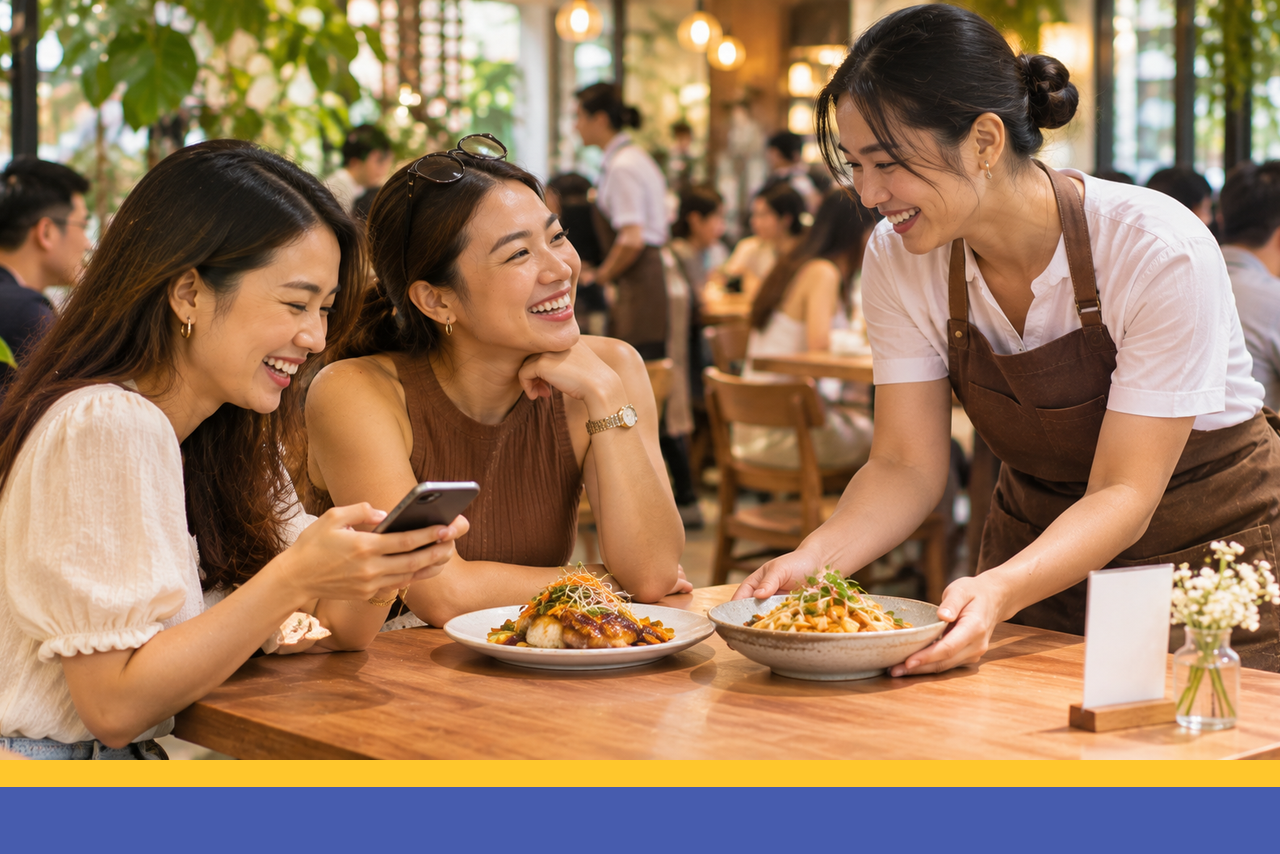
Bea and her friend sit down for lunch and scan the QR code on their table. Your menu opens in their phone's browser, with no app to download. They browse photos, check the allergen notes, pick their modifiers and see a recommendation beside a dish you want to feature. An add-on prompt suggests a drink that pairs with their mains.
The order goes straight into QashierPOS and to the kitchen, where tickets fire by station. Meanwhile, your team member stops by to welcome them, refills their water and mentions today's dessert. Halfway through the meal, Bea adds another drink from her phone without waiting for anyone.
When they are ready to leave, they settle the bill at the counter in a moment, because every item is already on their table's order. The table is free for the next guests, and every order sits in the same sales record as your walk-ins and delivery orders. The next morning, your QashierGM digest shows how lunch went.
None of that required a single manual action from you.
Your Team Gets Time Back for Hospitality
The most noticeable change is where your team spends its attention. Instead of waiting at tables with an order pad, they greet guests at the door, check on tables after the food arrives and spot the regular who likes the window seat. Those moments are what guests talk about afterward.
Your team also gets more time for the jobs that keep service smooth. Food runs faster, tables reset sooner and someone is always free to help a guest who needs a hand. For many guests, the QR code is simply the quickest way to order, and the warm welcome is still a person.
Orders Reach the Kitchen Exactly as Guests Placed Them
When guests enter their own orders, every modifier and note arrives exactly as they chose it. There is no rewriting and no guessing at handwriting during a busy service. Allergen information sits on the menu where guests can see it before they order.
QR orders flow into QashierPOS alongside your counter orders, and tickets fire to the right station in the kitchen. Your kitchen works from one clear line, and your floor team spends less time going back and forth to confirm details.
Guests Order More When They Can Take Their Time
A guest browsing your menu on their phone takes their time. They see photos of every dish, read the descriptions and notice your recommendations. Add-on prompts suggest a side or a drink as they build their order, so every table hears about your best pairings, even at the busiest moment.
Guests can also order again from the table whenever they like. A second round of drinks or a dessert no longer depends on catching someone's attention, so the extra order happens when the guest wants it.
Your Counter Becomes the Place for Pick-Up and a Quick Checkout
QR ordering works for takeaway and pick-up as well as dine-in. When an order is ready, the customer is notified on their phone to collect it, or your team brings it to the table. Nobody has to stand at the counter waiting to hear their order called.
Checkout is quicker too. Guests pay at the counter, and every item they ordered by QR is already on the bill. If something changes, your team can void items, move an order to a different table or add new items to the same table in QashierPOS.
Your Menu Updates Everywhere in Seconds
QR menus are easy to keep current. Update a dish, mark an item as sold out or change a price for the dinner rush, and every QR code shows the change in seconds. Guests never order something your kitchen has run out of, and your team avoids that conversation at the table.
QashierGM makes those changes even quicker. Ask it to mark an item sold out and it takes it off your in-store, QR and delivery menus once you confirm. Your team can do the same from Crew, Qashier's team chat, by tagging @GM, and anything outside their role goes to a manager to approve.
Roles Shift, and Your Roster Can Shift With Them
When guests take their own orders, the roles on your floor change. Many businesses move from order takers to a host who welcomes guests, runners who bring food out quickly and someone who keeps tables turning over. Your experienced staff can focus on regulars, recommendations and training new joiners.
QashierGM helps you plan that roster around real demand. Ask "What's my busiest hour on Saturdays?" or "Which items sell best at lunch?" and place your team where they make the most difference. Crew keeps everyone on the same page, with announcements your team can read before each shift.
Which Businesses Get the Most From QR Ordering
QR ordering suits any F&B business with busy periods, table service or a line at the counter. It works especially well for:
- Restaurants that want to keep tables moving from the first order to the final bill.
- Cafés that want to shorten peak-hour lines at the counter.
- Food court stalls that need orders to keep flowing through the lunch rush.
- Bubble tea and drinks shops where customization needs to reach the team clearly.
- Bars and bistros where guests want to add food and drinks without interrupting the mood.
Every business can keep the human welcome that makes it special. QR ordering simply gives your team more time to offer it.
Everything Connects, So Your Team Can Focus on Guests
Each part of your shop feeds the next. Guests order from the table, orders reach the kitchen through QashierPOS and every item lands in the same record, ready for a quick checkout at the counter. Your menu updates in seconds, QashierGM shows you how each service went and Crew keeps your team aligned.
Separate systems for ordering, kitchen tickets, checkout and team chat each hold one piece of the visit. On Qashier, they share one system. Let every guest order the moment they are ready, and let your team do everything else.
One login. One view. One system.
Get Started
Qashier runs your POS, QR ordering, kitchen routing, Crew and QashierGM on one system, and it is ready for your restaurant today. Our local team in the Philippines helps you set up and get serving.
Book a free demo and let every guest order the moment they are ready.
Frequently Asked Questions
What is QR code ordering?
QR code ordering lets customers scan a code at their table, browse your menu on their phone and place their order directly. In the Philippines, customers place QR orders in store and settle the bill at the counter. Orders flow into QashierPOS so your team manages them alongside counter orders.
Do customers need to download an app to use QR ordering?
No. Customers point their phone camera at the QR code and your menu opens in their browser. There is nothing to download or sign up for.
Does QR code ordering replace restaurant staff?
No. QR ordering takes over order taking, and your team spends that time on hospitality, running food, resetting tables and looking after regulars. Many businesses use the change to create clearer roles, such as a host and food runners.
How do customers pay when they order by QR in the Philippines?
Customers order from their phone and pay at the counter. Every item they ordered is already on the bill, so checkout is quick, and your team can still void items or add new ones in QashierPOS.
Can I update my QR menu during service?
Yes. You can update dishes, mark items as sold out or change prices, and every QR code shows the change in seconds. QashierGM can also mark items sold out across your in-store, QR and delivery menus once you confirm.
Does QR ordering connect to my POS and kitchen?
Yes. Qashier QR Code Ordering is connected to QashierPOS, so orders and reports stay in sync. Tickets fire to the right kitchen station, so your kitchen works from one line.
Does QR code ordering work for takeaway?
Yes. Qashier QR Code Ordering works for dine-in, takeaway and pick-up. Customers are notified on their phone when their order is ready to collect, or your team brings it to the table.